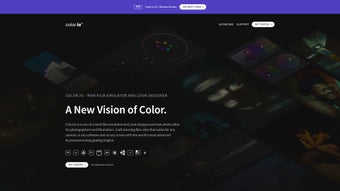

Download Color.io – Advanced Online Color Grading & Editing Tool
Overview
Color.io is a cloud‑based color grading and RAW editing platform that brings cinema‑grade control to photographers, filmmakers, and professional colorists without requiring bulky desktop installations. The service is built around a proprietary film‑emulation engine that reproduces the subtle tonal curves, grain structure, and color stability of classic analog film stocks, giving digital footage a timeless, organic look. Because the interface runs entirely in a modern web browser, users can start a grading session on a Windows laptop, continue on a macOS desktop, and finish on an iPad, all while preserving a single, consistent visual language.
In addition to film emulation, Color.io offers a comprehensive suite of post‑production tools: 3‑D LUT creation, high‑precision compression, halation simulation, color‑range masks, and true‑grain reconstruction at the pixel level. The platform is camera‑agnostic; any RAW format—whether RED, ARRI, Sony, Canon, or even a smartphone sensor—can be imported and processed. Export options include industry‑standard 3‑D LUTs that integrate seamlessly with DaVinci Resolve, Adobe Premiere Pro, Final Cut Pro, and other NLEs.
Whether you are polishing a wedding album, crafting a short film, or designing a brand’s visual identity, Color.io delivers the precision and creative freedom typically reserved for high‑end post houses, all from a secure, subscription‑based web service. The service also supports collaborative workflows, allowing multiple team members to comment, edit, and approve grades in real time, which dramatically speeds up the review cycle for large productions.
Key Features
- Film‑Emulation Engine: Uses film‑derived algorithms to replicate the color response, contrast, and grain of iconic film stocks, ensuring smooth tonal transitions and consistent color stability across the entire dynamic range.
- True‑Grain Reconstruction: Pixel‑level grain synthesis mimics the stochastic nature of real film, allowing users to add authentic texture without sacrificing image sharpness.
- 3‑D LUT Creator & Export: Build custom Look‑Up Tables with multiple grading nodes, then export in .cube, .3dl, or .json formats for immediate use in third‑party editing suites.
- Color Range Masks: Isolate specific hue, saturation, or luminance ranges to apply selective adjustments, perfect for targeted color correction or creative stylization.
- Halation Simulation: Recreates the glowing bleed that occurs around bright highlights in film, adding depth and a subtle cinematic aura to highlights.
- High‑Precision Compression: Optimized codecs preserve grading information while keeping file sizes manageable for fast web upload and download.
- Cross‑Platform Workflow: Works in any modern browser (Chrome, Edge, Safari, Firefox) and integrates with cloud storage services like Google Drive, Dropbox, and OneDrive.
- Batch Processing & Preset Library: Apply saved grading presets to multiple clips or images simultaneously, dramatically reducing turnaround time for large projects.
- Secure Cloud Architecture: End‑to‑end encryption ensures that uploaded RAW files and graded assets remain private, with automatic backups and version control.
- Live Collaboration: Invite team members to view or edit projects in real time, with comment threads attached to each grade node for streamlined feedback.
Installation, Compatibility & Usage
Because Color.io is a web‑native application, there is no traditional installation process. Getting started is as simple as creating an account and logging in from any internet‑connected device. Follow these steps to begin grading:
- Create an Account: Visit color.io, click “Sign Up,” provide a valid email address, set a strong password, and verify your account through the confirmation email.
- Select a Subscription Plan: Choose between the free tier (limited to five graded assets per month) or the Pro plan (unlimited grading, 3‑D LUT export, and advanced collaboration features). Payments are processed securely via Stripe.
- Upload Your RAW Files: Drag‑and‑drop footage or stills into the dashboard, or connect your cloud storage account to import files directly. Supported formats include .R3D, .ARRI, .ARW, .CR2, .NEF, .DNG, and high‑resolution JPEG/PNG.
- Choose a Film Emulation Preset: From the “Presets” panel, select a film stock that matches your creative vision. Each preset includes a base curve, grain profile, and color matrix that can be further tweaked.
- Apply Grading Nodes: Use the node‑based interface to add adjustments such as exposure, contrast, saturation, hue shifts, or custom curves. Color range masks can be attached to any node for localized edits.
- Generate a 3‑D LUT (Optional): When satisfied, click “Export LUT,” choose the desired format, set the LUT size (e.g., 33³ or 65³), and download the file for integration with your offline editor.
- Export or Share: Final assets can be exported as high‑quality TIFF, PNG, or compressed ProRes files directly to your device or cloud storage. Use the “Share” button to generate a secure link for collaborators.
- Save & Version Control: Each project is automatically saved in the cloud. You can revert to previous versions, duplicate projects, or archive completed work for future reference.
System Requirements: Color.io runs entirely in the browser, making it compatible with virtually any operating system that supports modern web standards. Recommended environments include Windows 10/11 (latest Edge, Chrome, or Firefox), macOS 12+ (Safari, Chrome, or Firefox), iOS 14+ (Safari, Chrome), and Android 9+ (Chrome, Firefox). A minimum of 8 GB RAM and a dual‑core CPU are sufficient for HD grading; 4K workflows benefit from a quad‑core processor and 16 GB RAM. Because heavy processing occurs on Color.io’s cloud servers, the client device only needs to render the UI and stream preview frames, ensuring smooth performance even on modest hardware. For limited bandwidth, a “Low‑Res Preview” mode reduces data transfer without compromising final export quality.
Pros and Cons
Pros
- Film‑emulation engine delivers authentic cinematic looks without additional plugins.
- True‑grain reconstruction adds realistic texture at any resolution.
- 3‑D LUT creator with export options for all major NLEs.
- Browser‑based, no heavy local installations required.
- Cross‑platform compatibility (Windows, macOS, iOS, Android).
- Secure cloud storage with end‑to‑end encryption.
- Live collaboration tools streamline team workflows.
- Extensive preset library accelerates grading for fast turn‑around projects.
- Batch processing saves time on large shoots.
- Responsive support and comprehensive online tutorials.
Cons
- Dependent on a stable internet connection; offline editing is not possible.
- High‑resolution grading can be slower on slower connections due to streaming of preview data.
- Free tier limits the number of assets you can grade each month.
- Advanced features (e.g., custom grain synthesis) have a learning curve for beginners.
- Export of extremely large projects may require additional cloud storage purchases.
FAQ & Conclusion
Is Color.io really free to use?
Color.io offers a free tier that allows up to five graded assets per month, with access to basic film‑emulation presets and standard export formats. For unlimited grading, 3‑D LUT export, and advanced collaboration tools, you’ll need a paid Pro subscription.
Can I edit footage shot on RED or ARRI cameras?
Yes. Color.io supports native RAW formats from RED (.R3D), ARRI (.ARRI), as well as Canon, Sony, Nikon, and many others. The platform automatically parses camera metadata to ensure accurate color mapping.
How secure is my uploaded content?
All files are encrypted in transit (TLS 1.3) and at rest (AES‑256). Color.io’s servers are hosted on an ISO‑27001‑certified data center with regular security audits, ensuring that your creative assets remain private.
Can I export a custom LUT to DaVinci Resolve?
Absolutely. After completing a grade, you can export a 3‑D LUT in .cube format, which is fully compatible with DaVinci Resolve, Adobe Premiere, Final Cut Pro, and most other NLEs that support LUTs.
Do I need a powerful computer to use Color.io?
Since the heavy processing is performed on Color.io’s cloud servers, you only need a modern browser and a modest amount of RAM. Even older laptops can handle basic grading, though a faster connection improves preview responsiveness.
Color.io bridges the gap between high‑end film‑stock emulation and the convenience of a cloud‑first workflow. Its blend of authentic grain synthesis, powerful 3‑D LUT creation, and collaborative features makes it a compelling choice for anyone looking to elevate their visual storytelling without investing in expensive hardware or legacy software licenses. Whether you’re a solo creator polishing a wedding album or a post‑production house managing multiple feature‑film pipelines, Color.io offers the flexibility, security, and creative depth required in today’s fast‑paced media environment. Ready to experience cinematic color grading from your browser? Sign up for a free trial today and unlock the full potential of film‑grade aesthetics for your next project.



.png)



